# Bingu
Key Features
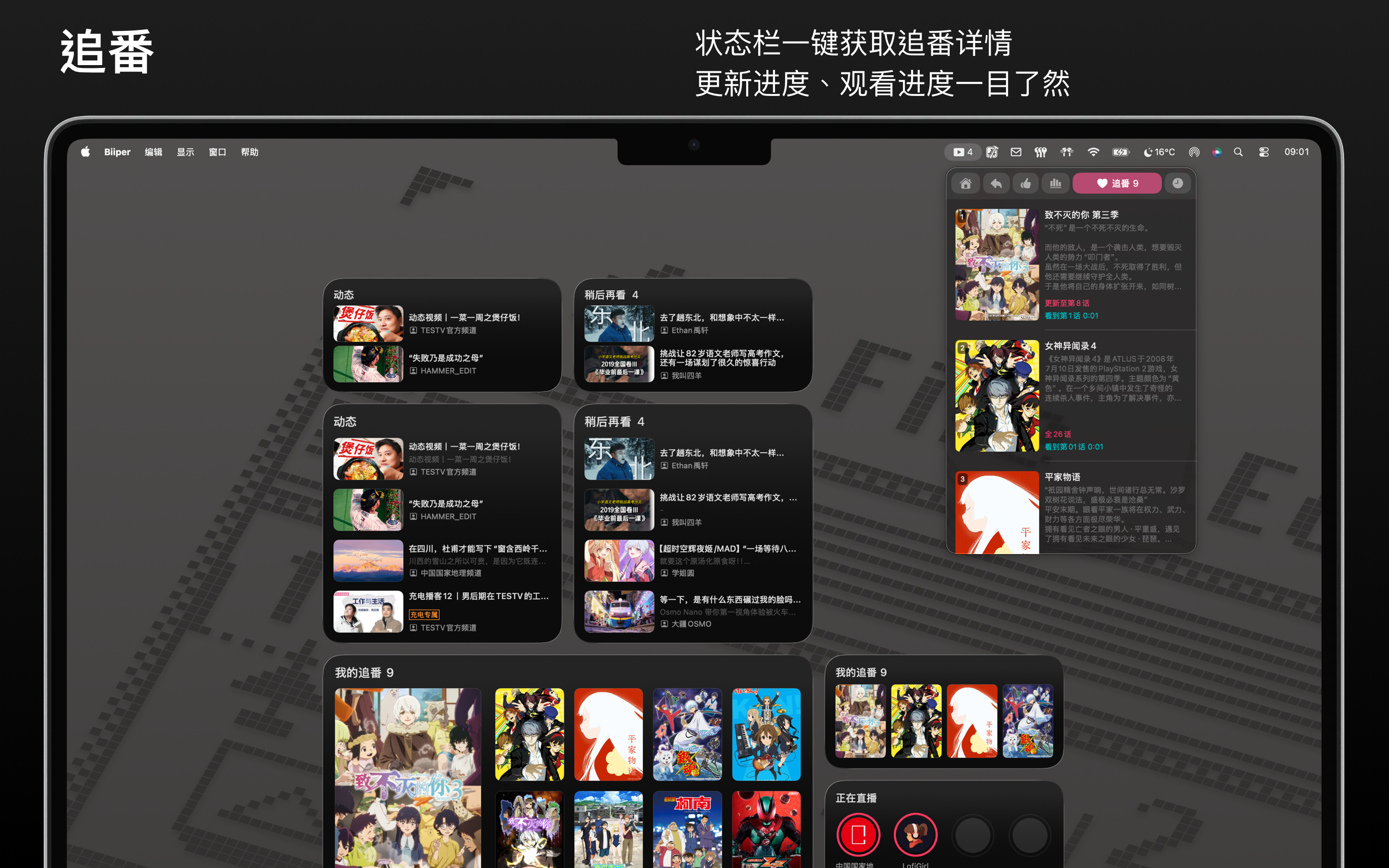
Menu Bar Integration
- Displays your Watch Later count directly in the menu bar
- Quick access to all features from the status bar icon
Quick Navigation
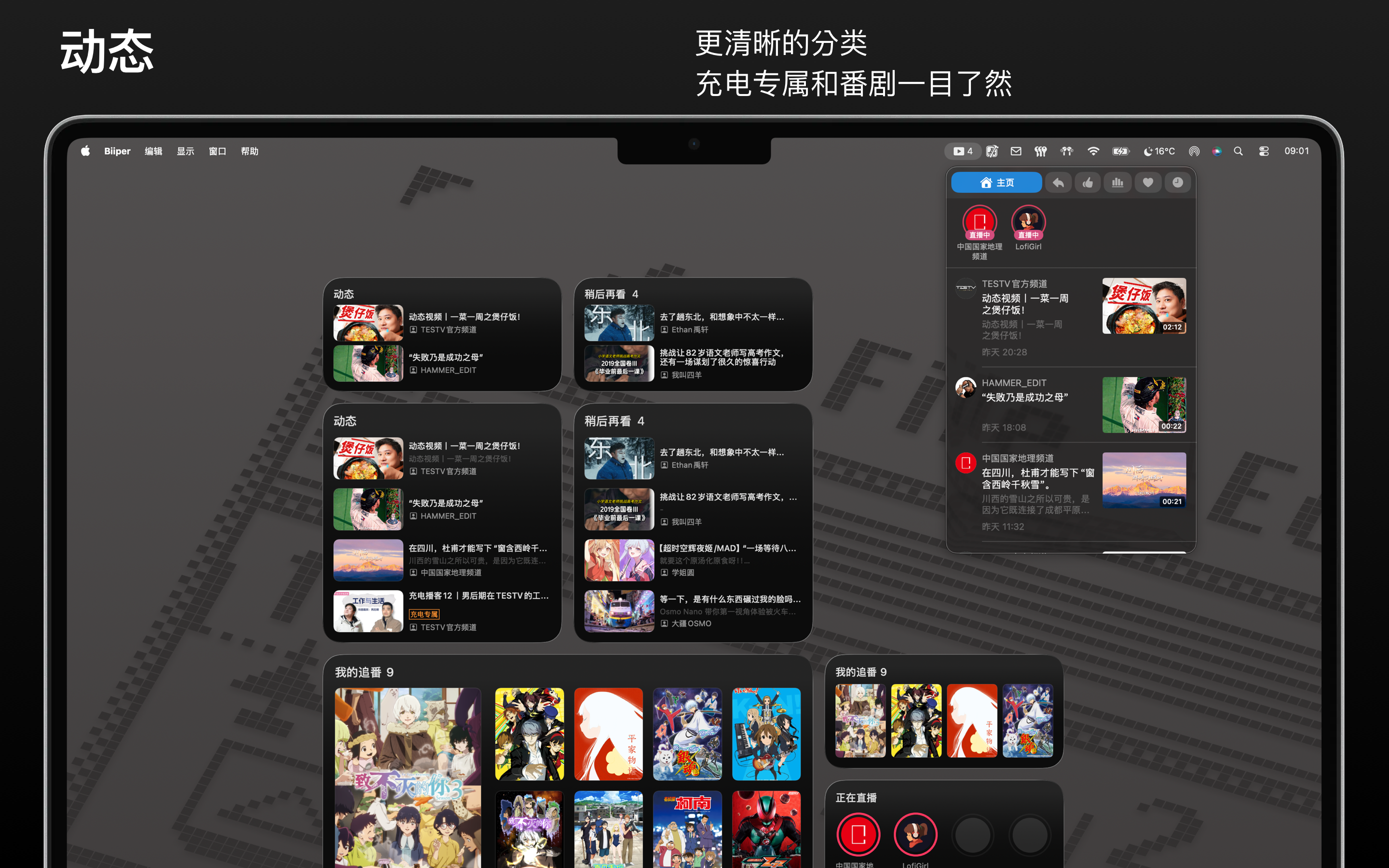
- Feeds — See updates from followed creators
- Anime — Track your anime watching progress and favorites
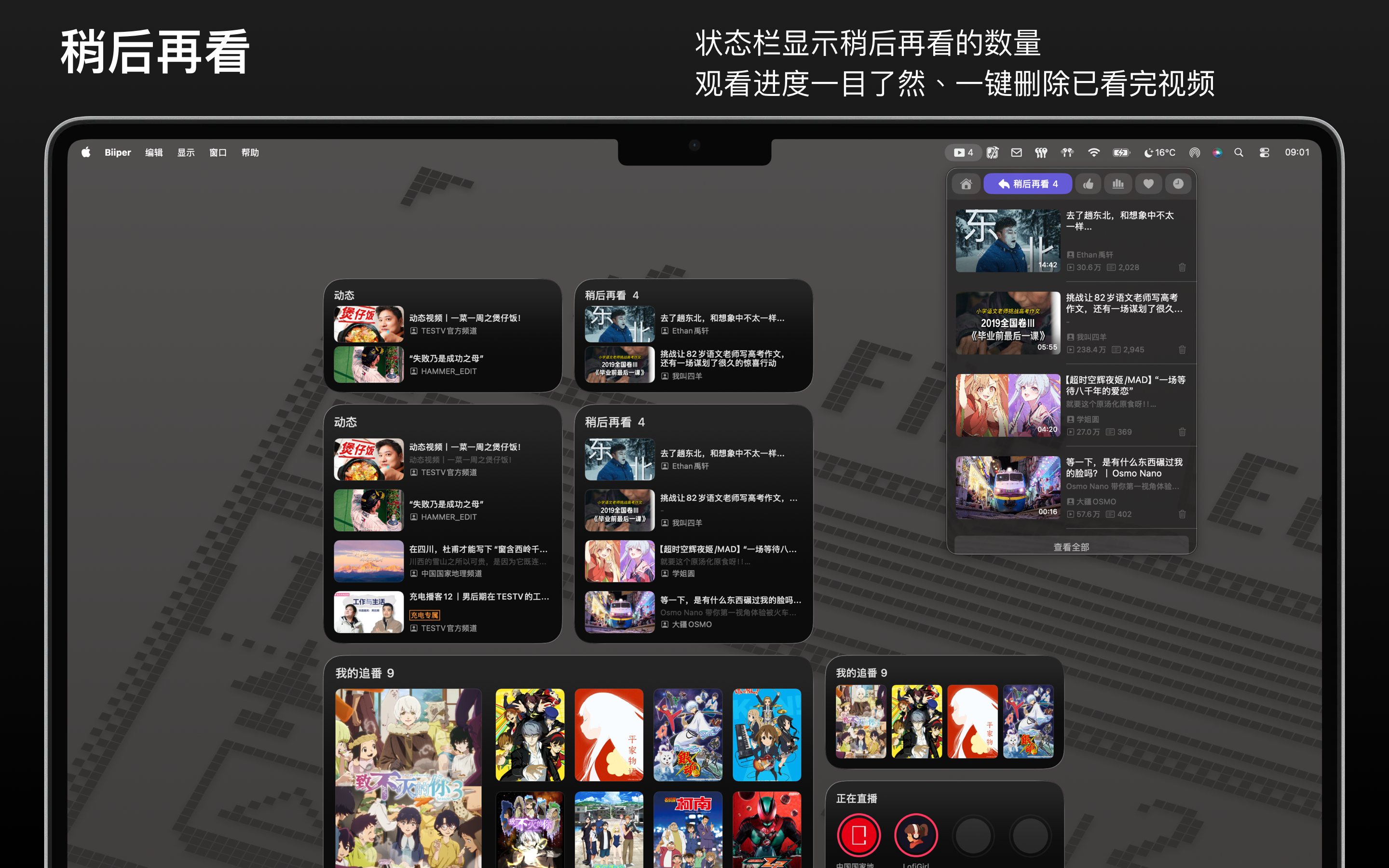
- Watch Later — Manage your saved videos, view progress, and delete watched content
- Recommendations — Smart video suggestions based on your interests
- Trending — Hot videos across bilibili
- History — Quick access to recently watched videos
Watch Later Management
- Menu bar badge shows the number of saved videos
- View watching progress for each video
- One-click delete for finished videos
- Add videos to Watch Later from recommendations and trending pages
Update Notifications
- Get notified when followed creators upload new videos
- Anime episode updates
- Click notifications to open videos in your default browser
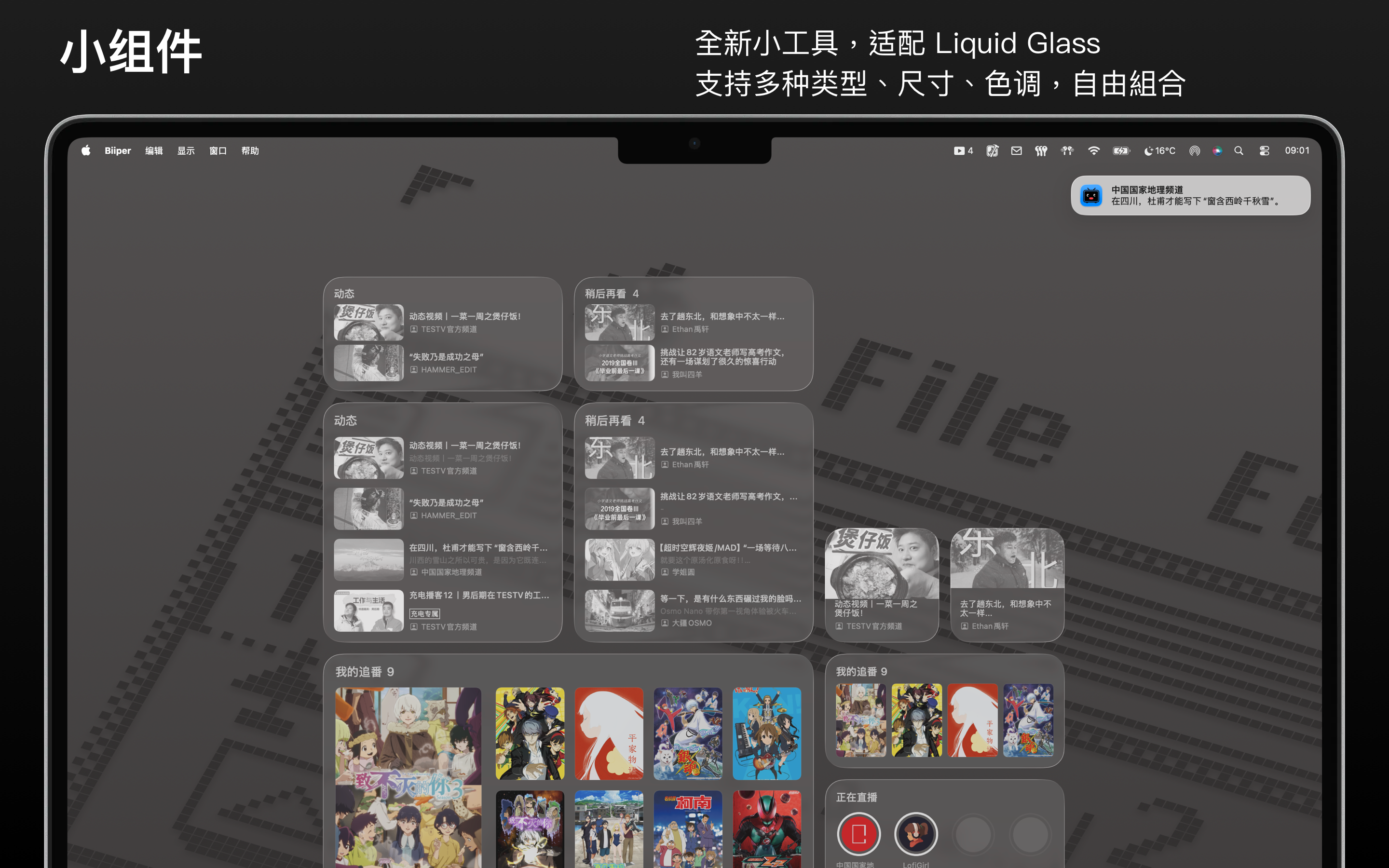
Widgets Support
- Dynamic feeds widget
- Watch Later widget
- Anime tracking widget
Additional Features
- Customizable page order and visibility
- Multi-language support (English, Chinese)
- Streamlined interface optimized for Mac
- Bingu does not provide video playback functionality. All playback and detail pages redirect to the official Bilibili website. Not affiliated with the official Bingu app.
Preview
Feed
Watch Later
Widgets
Anime